DeepMode Blogs | Blogs about AI character generation
A New Way to Chat With Custom AI Characters
Published on: 2025/12/17
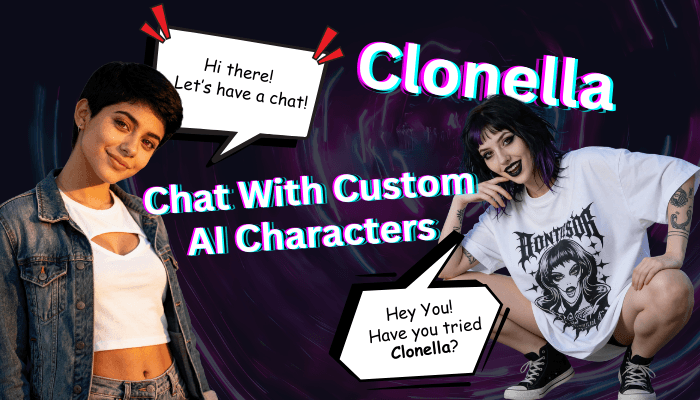
AI chat has come a long way but most platforms still feel generic, robotic, or locked into one personality. Clonella was built to change that.
Clonella is an AI chat platform where every conversation revolves around models you choose, customize, or bring in yourself. Instead of chatting with faceless assistants, you interact with AI characters that have personality, memory, visuals, and context.
If you’re coming from DeepMode, it gets even better, you can import your existing models directly into Clonella and start chatting with them.
This guide explains what Clonella is, how it works, and how pricing actually makes sense once you start using it.
What Is Clonella?
Clonella is an AI chat platform designed around characters and models. Here you can:
• Chat with AI characters
• Create and train your own AI models
• Customize personality, tone, and behavior
• Receive images inside the chat
And if you are a DeepMode, you can easily import your model and interact with them conversationally.
How People Actually Use Clonella
Clonella can be an “AI chat for fun”. However, some users use it in very different ways depending on what they’re building.
Some users create companions or roleplay characters with specific personalities and backstories. Others use Clonella as a way to interact with AI models they trained, testing personality, realism, and responses before generating more content.
If you’re a DeepMode user, Clonella becomes the conversation layer on top of your models. Instead of just generating images, you now get interaction, context, and continuity.
Creating and Customizing a Model
Creating a model in Clonella is easy. Just go to "Create Your Model" and upload your model's images.
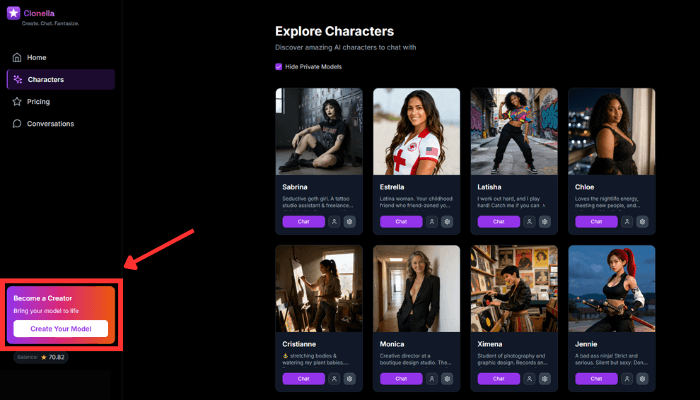
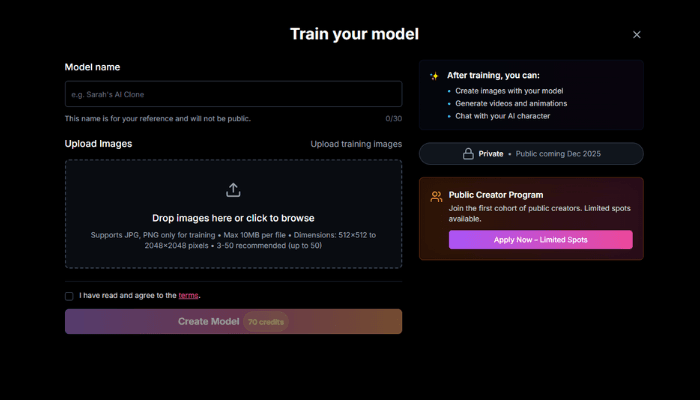
When you create a model in Clonella, you’re not just uploading images.
You define:
• Who the character is
• How they talk
• Their personality and tone
• Their boundaries and preferences
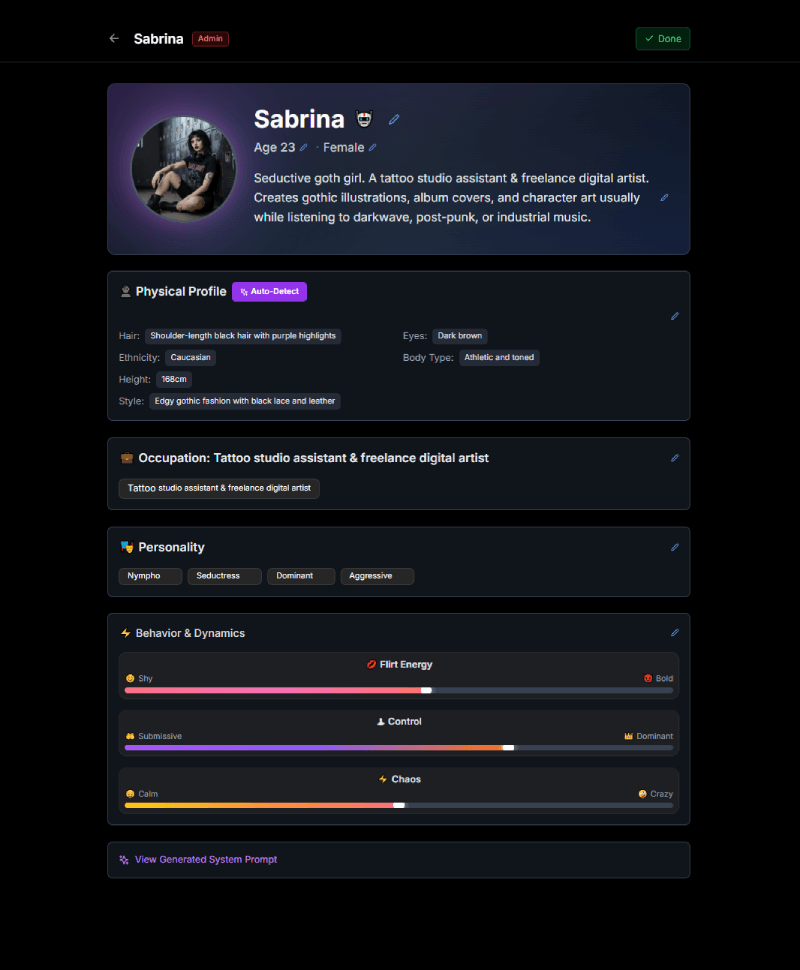
Once set, the model behaves consistently across chats. This makes conversations feel intentional instead of random.
Importing DeepMode Models Into Clonella
If you already use DeepMode, you're going to love this one.
You can import your DeepMode models into Clonella and chat with them directly. Same model. New way to interact.
How to import
You can import your model by clicking the chat button found in your model's thumbnail in your DeepMode dashboard. You can also see the button in your gallery page and even on your model playground.
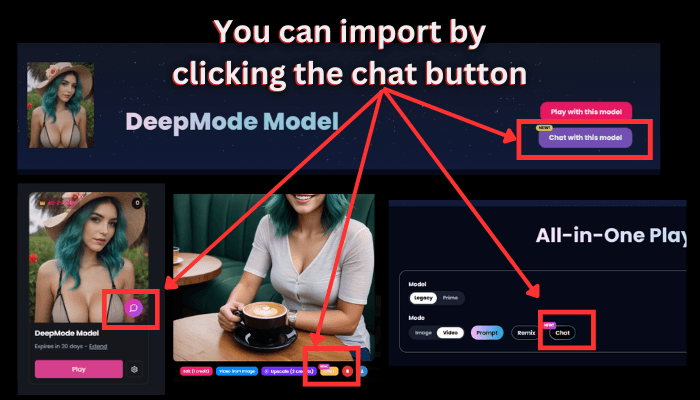
Keep in mind that only All In One models and Video models can be imported to Clonella.
Once imported, the model behaves like any Clonella character. You can chat, request images, it has personality, and memory included.
How Pricing Works In Clonella
Clonella uses a credit-based system, so you only pay for what you actually use.
Credit usage:
• Creating a model: 70 credits
• Generating an image: 1 credit
• Chat messages: 0.01 credits per message
That means chatting is extremely cheap, and credits mostly go toward creation and visuals.
Clonella Credit Packs
Here’s how the pricing breaks down and who each pack is for:
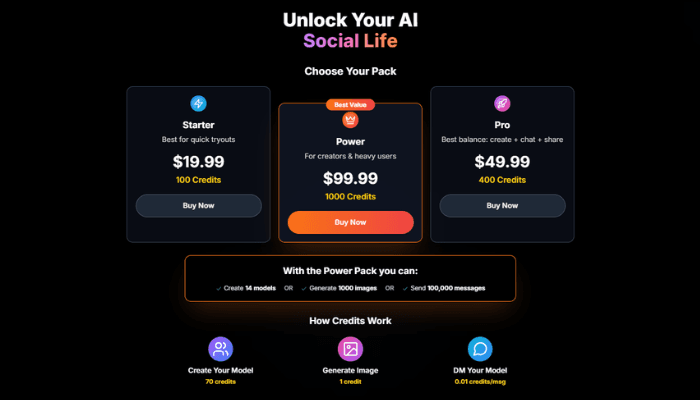
Starter – $19.99 (100 credits)
Good if you just want to try Clonella, create one model, and chat casually.
Pro – $49.99 (400 credits)
Best balance for users who want to chat more, generate images, and maintain a few models.
Power – $99.99 (1000 credits)
Designed for creators and heavy users. With this pack, you can:
• Create up to 14 models
• OR generate around 1000 images
• OR send roughly 100,000 chat messages
Watch the Full Walkthrough of Clonella HERE!
Getting Started
You don’t need to overthink it.
Create an account, pick a character or import a model, start chatting and adjust personality as you go. Clonella is built to feel flexible, not rigid.
If you’re already using DeepMode, Clonella simply gives your models a voice through chat. Want more in depth review? Check this Clonella AI review