DeepMode Blogs | Blogs about AI character generation
Creating Instagram Worthy Shots With DeepMode
Published on: 2026/02/13
Create IG worthy shot look using DeepMode, without needing a real photoshoot or complicated setup.
Instagram shot style images have a very specific look.
They feel casual, natural, and effortless, even when they’re carefully crafted. The lighting feels real, the poses feel intentional, and the image looks like it belongs on a personal feed rather than a stock photo site.
With DeepMode, you can recreate that look using AI, without needing a real photoshoot or complicated setup.
What Makes an Image Look “Instagram Worthy Shots”?
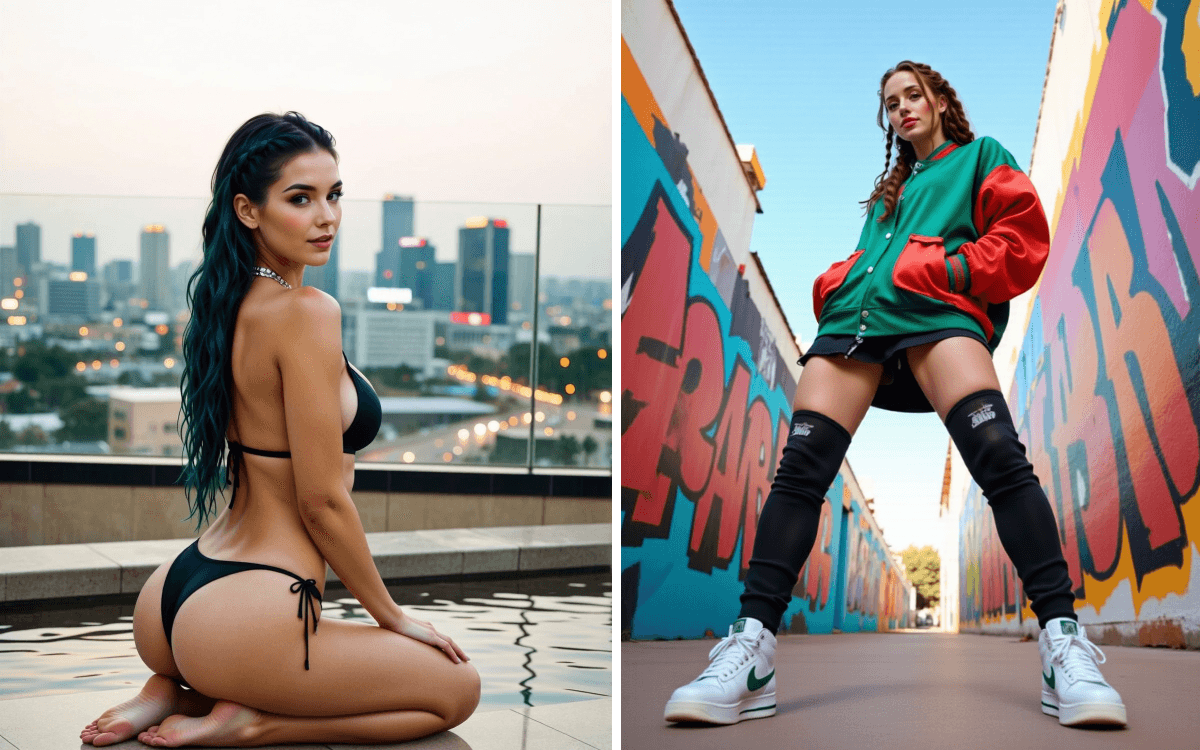
Instagram style images usually share a few common traits:
• Natural-looking poses and camera angles
• Soft, realistic lighting
• Casual framing, like the photo was taken on a phone
• A sense of personality rather than perfection
This is where many AI-generated images fall short. They often look too polished, too posed, or obviously artificial. DeepMode solves this by letting you guide the camera perspective and shot style with just prompts alone.
Using IG Shot LoRAs in DeepMode
One of the easiest ways to achieve an IG worthy shot look in DeepMode is by using LoRAs. Depending on how you trained your model, either training it as FLUX or All In One, you can use the LoRAs to achieve it.
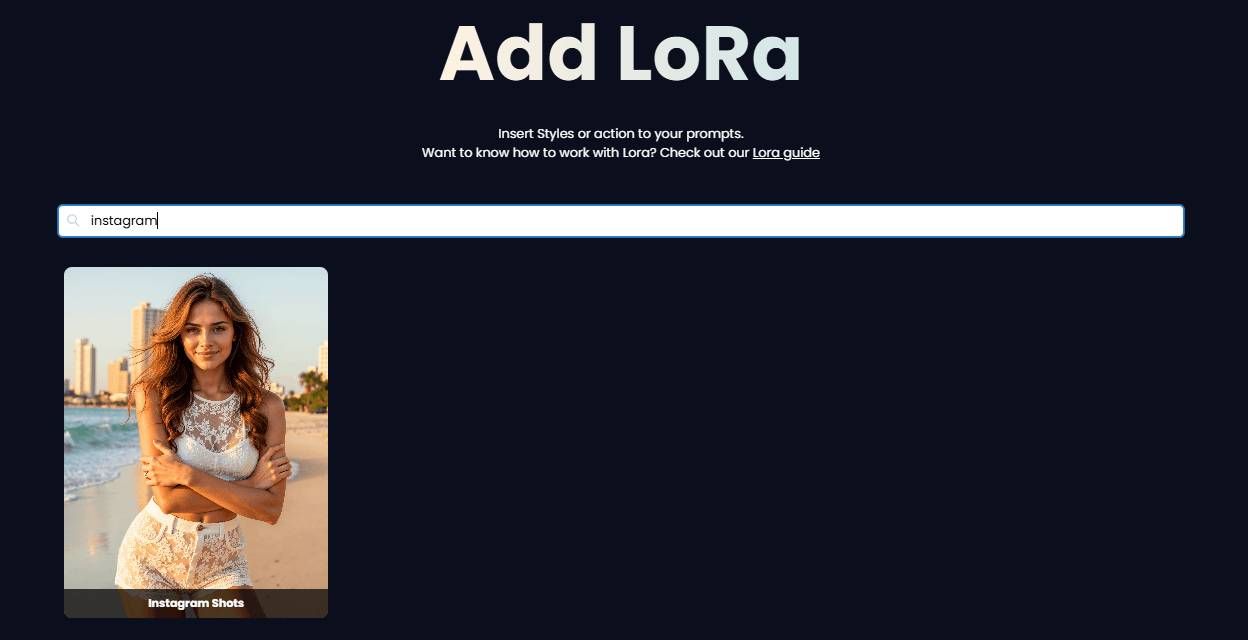
These LoRAs are designed to mimic the kinds of shots you’d typically see on Instagram. They help control:
• Camera distance and framing
• Natural body positioning
• Casual, social-media-style composition
Instead of forcing the model to guess what an “Instagram photo” looks like, the LoRA does that work for you. You don’t need to overthink it. Once selected, the IG Shot LoRA subtly pushes the output toward that familiar IG aesthetic.
How To Recreate IG Worthy Shots
👉 Click on your FLUX or All In One model and go to the playground.
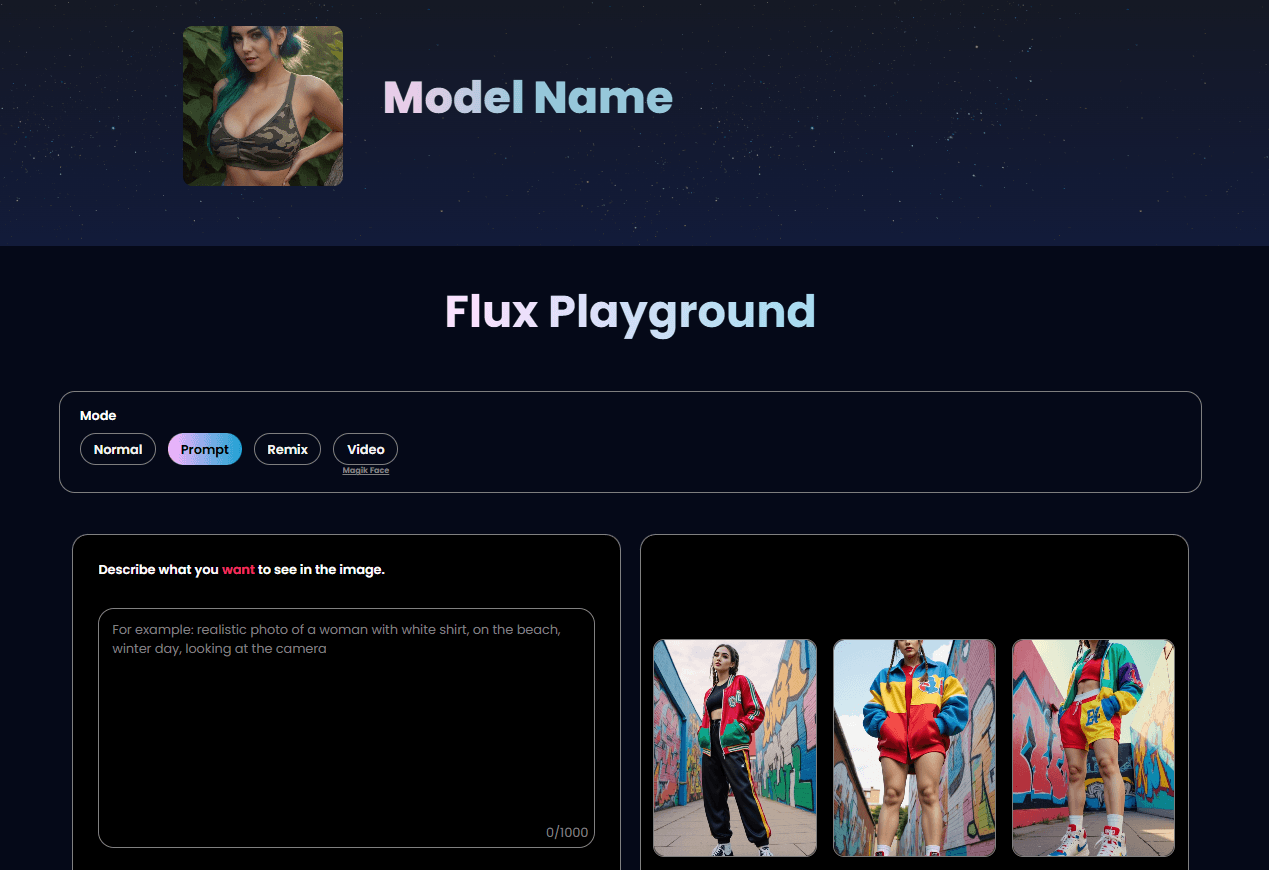
If you don't have any models yet, no worries. Check this full guide on how to create one and start using DeepMode
👉 Click the LoRA style and choose the Instagram Shots
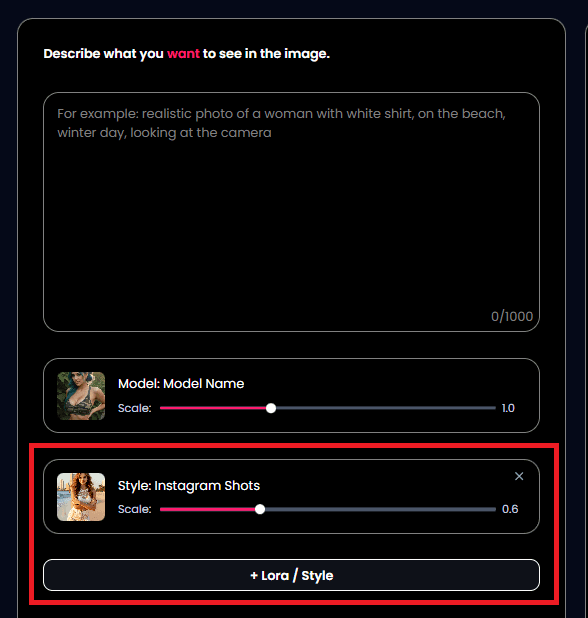
Keep in mind that if you are using All In One, the Instagram shot Lora is only available for DeepMode Prime
👉 Adjut the LoRA weight. We recommend using 0.6-0.8 weight with the Instagram Shot Lora. This gives enough strength for the lora to do it's thing, with minimal effect on your model's face.
👉 Add the prompt and hit generate! Here's a sample prompt that you can use:
Low-angle view of a woman in a colorful, oversized varsity jacket and high-top sneakers, her hands in her pockets, posing confidently with graffiti-covered walls behind her. Her braided hair falls down over her shoulders, exuding urban hip-hop style under a clear sky.
If you want a good ration of the image try Custom and use 1227x1536px. This is works perfectly for IG platform. You can even use it as a profile picture in dating platforms. Want to see what other prompts you can use for FLUX models, check this blog Basic Prompts to Try with FLUX AI in DeepMode!
Creating IG Shots is easy. You just need to direct the AI and lean it to what you want to achieve. Feel free to experiment with the weights and with the prompts you are using.
Keeping the Images Natural (Not “Too AI”)
The hardest part about creating Instagram-style images with AI isn’t the generation itself. It’s knowing when to stop.
Instagram photos rarely try to impress. They’re not cinematic, dramatic, or overly styled. The best ones feel almost accidental, like someone casually lifted their phone and captured a moment without thinking too much about it.
When working in DeepMode, the goal is the same. You’re not trying to push the model to do more. You’re trying to let it do just enough. Simple framing, natural lighting, and relaxed poses tend to produce images that feel believable instead of artificial.
This is where IG Shot LoRAs really shine. They guide the camera perspective and composition in a way that already feels familiar, so you don’t need to force dramatic angles or heavy styling. The result looks less like “AI art” and more like a photo that could realistically show up on someone’s feed.
DeepMode works best when you treat it like a camera, not a spectacle. Small adjustments, subtle direction, and restraint make a bigger difference than piling on effects.
Final Thoughts
DeepMode is especially well-suited for Instagram-style images because it focuses on guided creation, not just raw prompting.
Instead of starting from scratch every time, you can build on consistent styles, poses, and camera perspectives. This makes it easier to create images that feel cohesive and feed-ready.
Whether you’re creating content for personal use, branding, or visual experimentation, DeepMode helps you generate images that feel at home on social platforms.